Mass runs
An entire book of business in one pass, not document by document.
Capabilities
Design report types, release changes, produce reports in series and monitor operations, with one tool.
Design
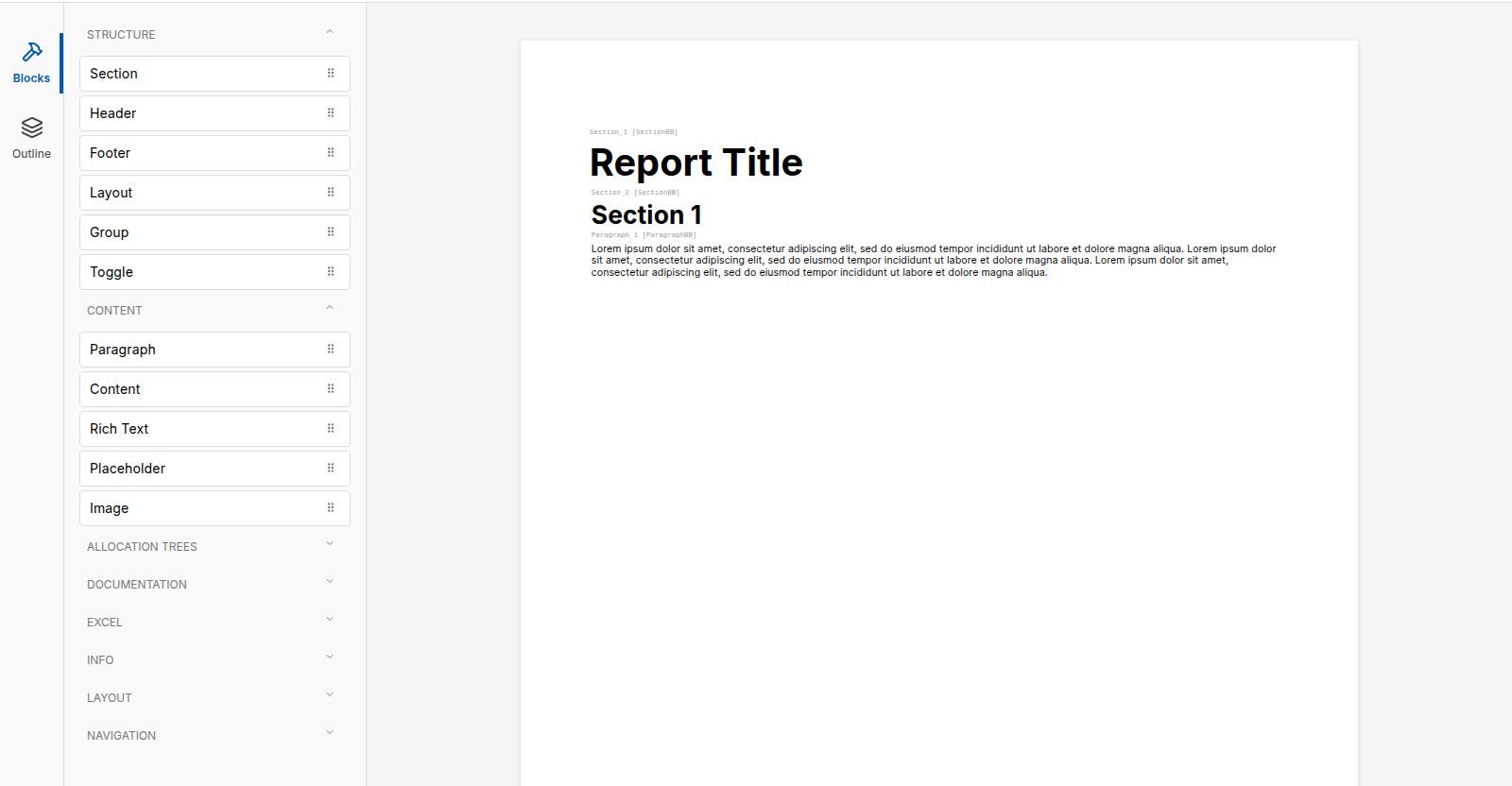
Arrange building blocks by drag and drop, place sections, headers, footers, texts and graphics, and watch what the report looks like as you go. Changing how a report is put together needs neither a ticket nor a release.
Release
Every change to report types, profiles, segmentations and content takes the same path. Nothing becomes valid because somebody hit save.
The change is made beside the valid version. Production carries on untouched.
You run a test production against the draft. The run records that a draft was used.
A deliberate step makes the change valid, with a name and a time on the document.
And if it turns out wrong: discard the draft. The valid version never went away, so there is nothing to rebuild backwards.
Produce
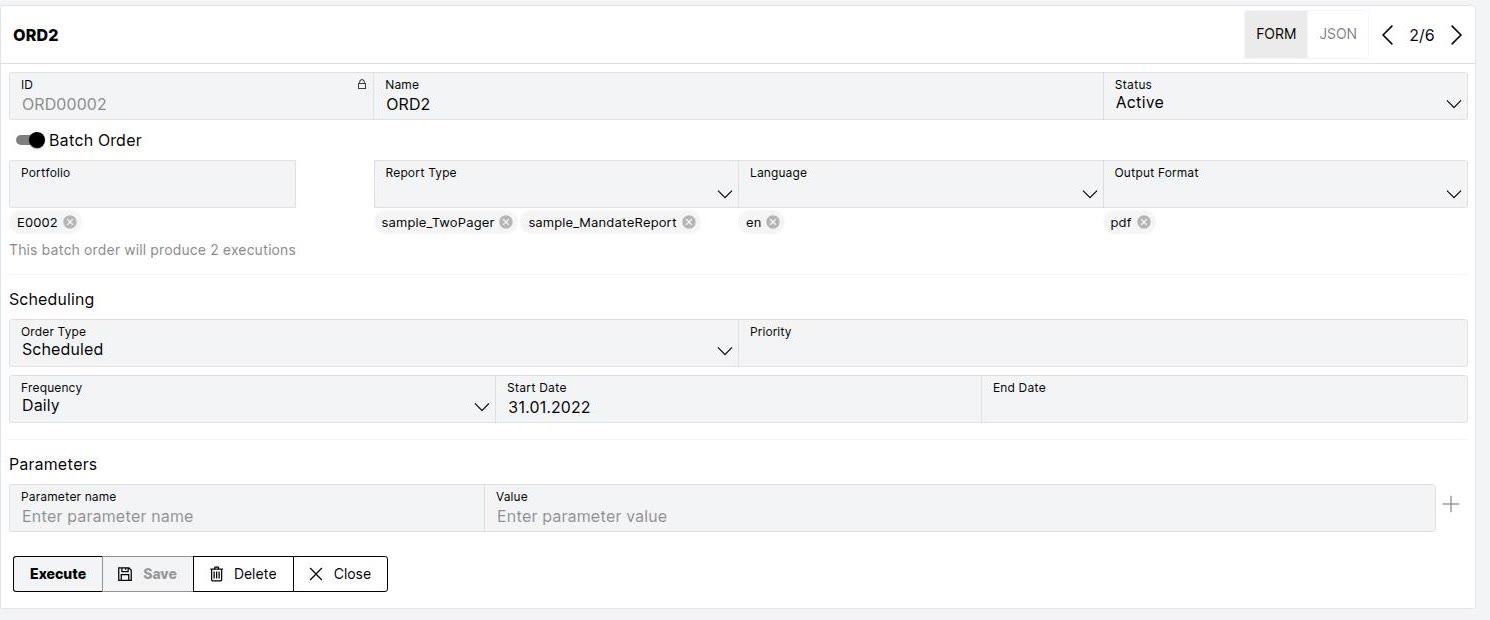
An order records what is produced, for whom, in which language and in which format, and when. The productions follow from it: one report type in five languages and two output formats makes ten productions, from a single order. The system works out how many documents that makes.
Monitor
A mass run is only finished once you know what did not get through. So production is not just a status display, it is something you can reach into.
And when something goes wrong it does not say "failed", it says where it came from:
Texts
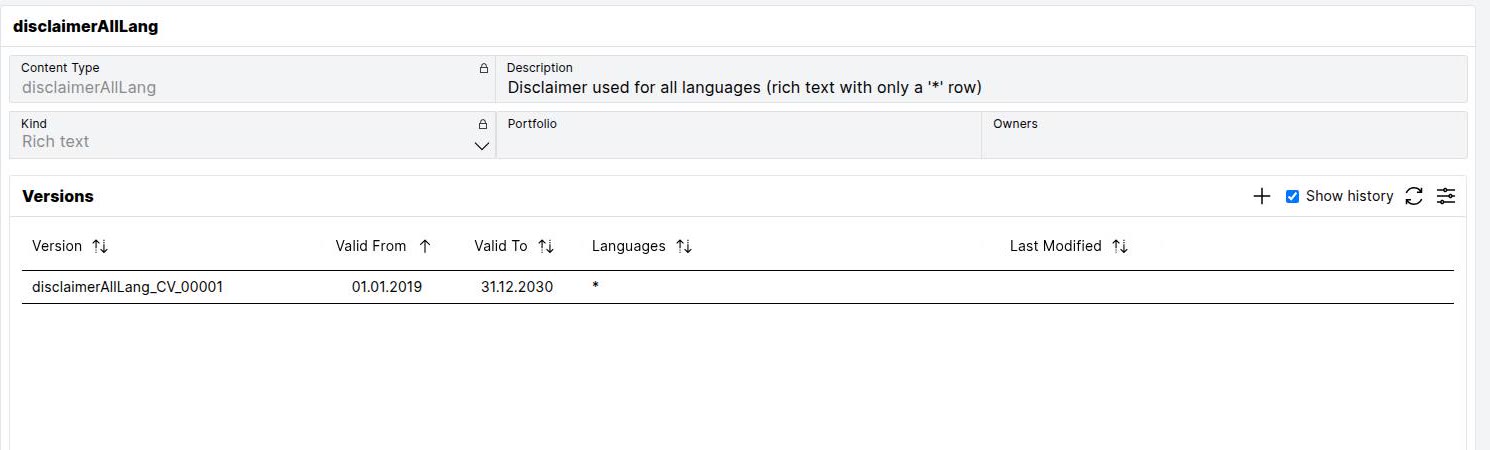
Market commentary, explanations, legal notices, attachments, maintained by the people responsible for them, not by IT. Every text carries its versions with their validity, and the cut-off date decides which one goes into the report.
Languages
Labels follow the recipient's language, not a second report template. You maintain one entry; the order decides which language appears. Placeholders such as {1} are filled with the report's own figures.
Number and date formats follow the same language: 1’234.50 or 1 234,50, without a second template.
| Entry | German | English |
|---|---|---|
| BR_PO_Title | Performance-Übersicht | Performance overview |
| topN | {1} grösste Positionen | Top {1} positions |
| from_to | von {1} bis {2} | from {1} to {2} |
Also
Six areas used every day in operation, listed briefly rather than left out.
An entire book of business in one pass, not document by document.
Daily, monthly, quarterly, on the cut-off date, with start and end dates.
A run can be tied to a message, a file or a point in time.
Production waits for signed-off holdings instead of running on unfinished figures.
What is urgent moves up, without aborting the run.
Restart failed documents without repeating the whole run.
Clients find their own reports.
What appears in the portal is curated, per portfolio and per channel.
Which formats a report type offers is recorded on the type.
Your document templates live in the system and govern header, footer and page layout.
From one template workbook, a sheet per section instead of one table with everything.
On request the workbook carries a sheet recording how it was produced.
Excel, CSV or JSON straight out of the view.
The same report type, another language, another format, without a second type.
Groups, subtotals and sort orders as a setting, not as code.
The same figures across two axes, without a second data query.
Donut, pie, bar, category series, with legends and symbols.
A figure in the web report leads into the table it came from.
Tabs, menu or selection list: several views in the same place.
Whole sections can be shown and hidden without rebuilding the report.
What has no data leaves no hole. The rule that governs it sits on the block.
Notes hang on the text, not on a page number.
One entry, every language, maintained centrally and searchable.
Texts take in the report's figures instead of being rewritten for every case.
Language and notation are set separately.
By locale, including thousands separators and date order.
A view shows what is not translated yet, before the run, not after it.
Relational database, MongoDB, HTTP services or a file store, and Cinnamon Core as a ready-connected source.
Repeated runs go faster, and a run can deliberately bypass the cache.
Orders, executions, resources and content through a documented interface.
Downstream systems learn about finished documents without polling.
Which figures exist and what they are called, checked before they take effect.
Base segmentations and your own derived ones, as a setting.
Portfolio availability and quality are checked, not discovered.
The system checks itself for inconsistencies between types, profiles and catalogues.
Which processes are running, since when and on which version.
Clear individual entries or whole caches deliberately.
What is set can be looked up rather than guessed.
Administration, service access and SSO sign-in are separate.
Schedule, interface or immediate start, recorded on the run.
Building blocks, their parameters and use cases are available as a report.
Documentation
Concepts, the product manual and the guide for reporting specialists.
Next step
We show Cinnamon on a complete report and answer your questions about how it fits your environment.
Free slots in the calendar, no Microsoft account needed.
Opens your mail client with the enquiry prepared.
Or call us:+41 44 454 84 84

Your contact
Cinnamon · bmpi AG